Think Autonomous

COURSE CURRENTLY CLOSED

UPGRADE FROM PLAYER TO PRO
DL ENGINEER BY MASTERING
OPTIMIZATION & DEPLOYMENT

⚠️ If you are a Deep Learning Engineer who has no idea how to optimize, export, and deploy models to production environments... This course has been created FOR YOU!

COURSE CLOSED · JOIN THE EMAIL LIST →
Neural Strike course cover

🔊 WATCH VIDEO BELOW FOR DETAILS AND JOIN THE COURSE NOW!

Dear friend, if you are completely FREEZING while hearing the terms "optimization" and "deployment", you have reached the right place.

Let me tell you the story of what happened the first time I deployed a deep learning model on a real self-driving car.

Back in 2018, I was working as a computer vision engineer on autonomous shuttles, and I got handed what sounded like a simple task: Add computer vision models to the shuttle. So I started with YOLO, a done-for-you architecture and repo, and honestly, in about five or ten minutes I had it working with ROS. Everything ran perfectly. The FPS were good, it was going fast, I was really happy about it.

But then I went to level two, and I had to add segmentation models on top.

And this is when the problems started. I couldn't keep both models running fast enough. The GPU locked at a hundred percent, all the cores maxed out, and it got so hot the temperature hit its limit and the thing crashed.

On a car that has to see and react in real time, that's not workable. And that was just two models. So I'm thinking, if two models already put me here, what happens when I add five, ten, maybe twenty models total? All of it with Python scripts, with C++ code, with point cloud processing, radar, GPS, planning...
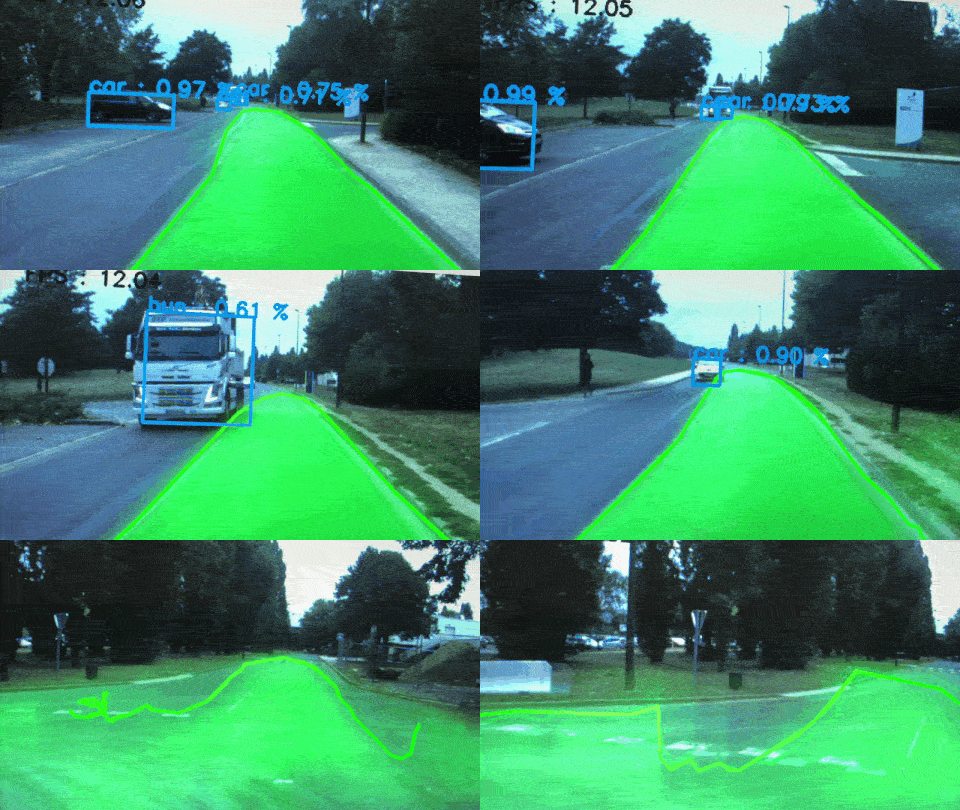
Segmentation and bounding boxes running on the shuttle
GIF of SEGMENTATION + BOUNDING BOXES - 1Mb

How to make slow models faster

I did what most people do when they hit that wall: I made my input images smaller. I dropped the input resolution, and suddenly the model ran faster. The detection got maybe a little worse, but it was barely noticeable, and I told myself it would be fine.

Unfortunately, resizing the image is a rookie move.

That day on the shuttle, I was what you call a Player. There are 2 kinds of engineers in this field:

Players and Pros

A Player can grab a dataset, pick an architecture, train a model and get a good result on the validation set. The notebook runs, the metrics look great, he's happy. That was me at the time.
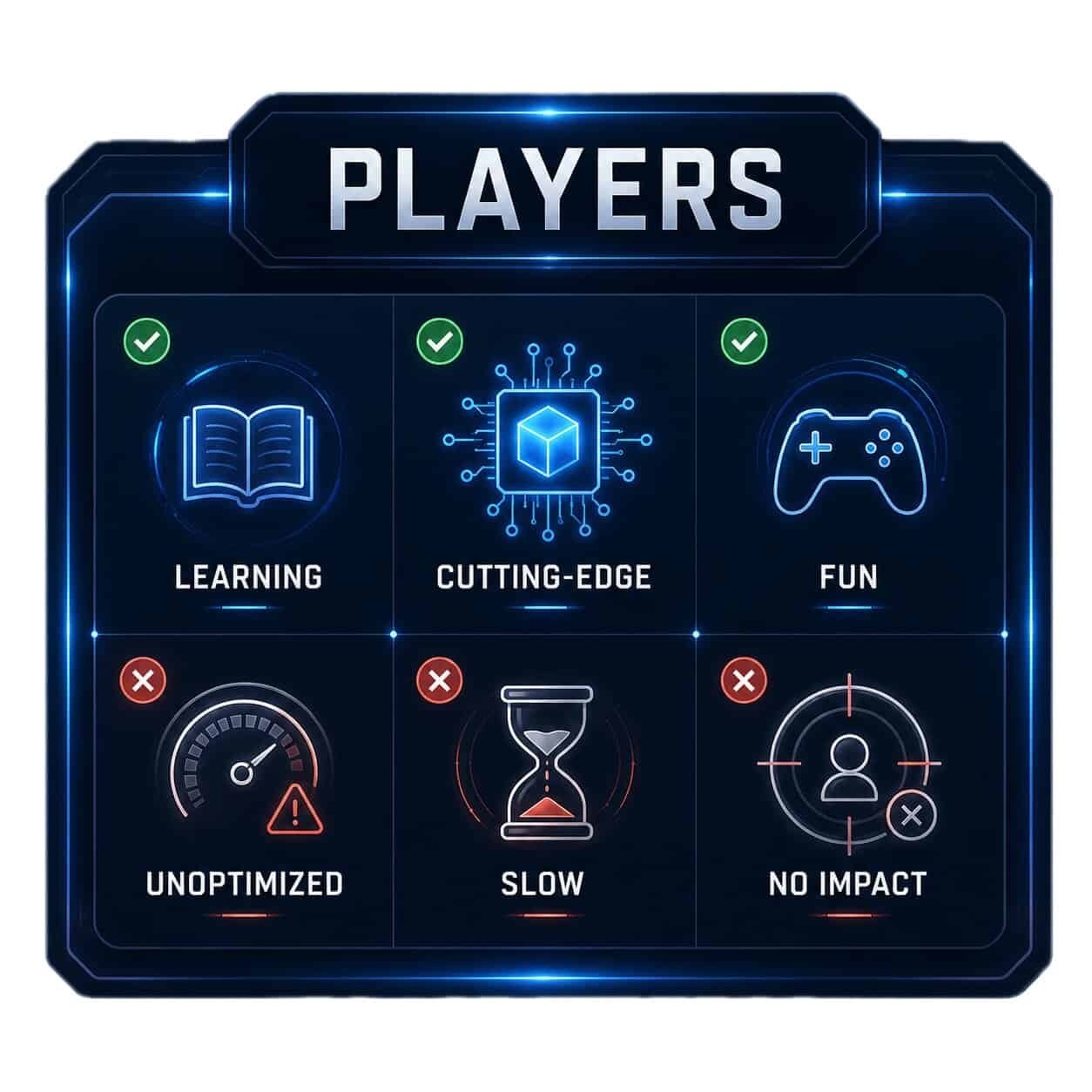
Players
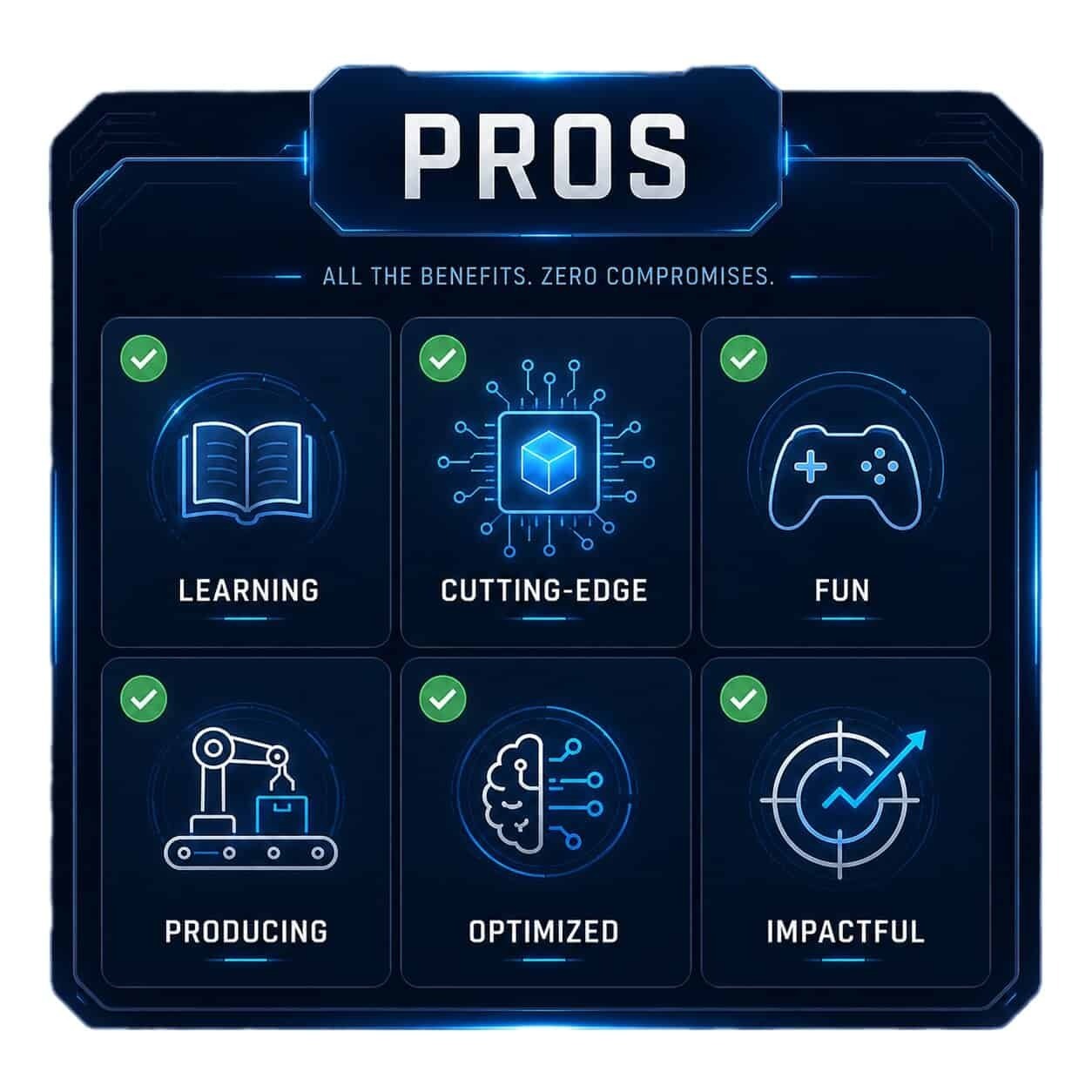
Pros

A Pro not only does that, but can also ship models. The same model, they get it running on the real hardware, at real speed, next to ten other models, on a car that has to make decisions in real time. They know what to do when the GPU locks at a hundred percent, because resizing the image is the last thing on the list, not the first.

The Player plays with deep learning, the Pro deploys it. Almost everyone in this field is a Player, because that's the only thing the whole system trained you to be. University, tutorials, blogs, videos, courses, all of it stops the exact moment the model is trained and can run. In reality, this is exactly when the problems start.

If you currently are not able to deploy models to Deep Learning Environments, you are a Player. This is NOT a bad thing, and there are MANY startups and companies who WANT people who can only train and run models, and who have their own Deployment teams.

BUT:

I've recently spoken to 2 elite engineers of this Industry: one is the Head of AI Deployment of the world's largest autonomous delivery fleet. The other is the CTO of an off-road agriculture company; both told me the same thing:

"Today, learning Deployment matters MORE than learning the architectures."

When I shared this with clients, many told me how they thought they'd need to be a different profile, someone more technical, with tons of C++ skills. I've also heard phrases like "I do the models, deployment is someone else's job".

All of these are MYTHS.

Deployment is a sequence of skills you need to learn, the same way you learned neural networks, then backpropagation, then loss functions, optimizers, and libraries... you are now learning pruning, quantization, distillation, export, and GPU optimization.

2 Benefits of mastering optimization & deployment

BENEFIT 1: You get Control
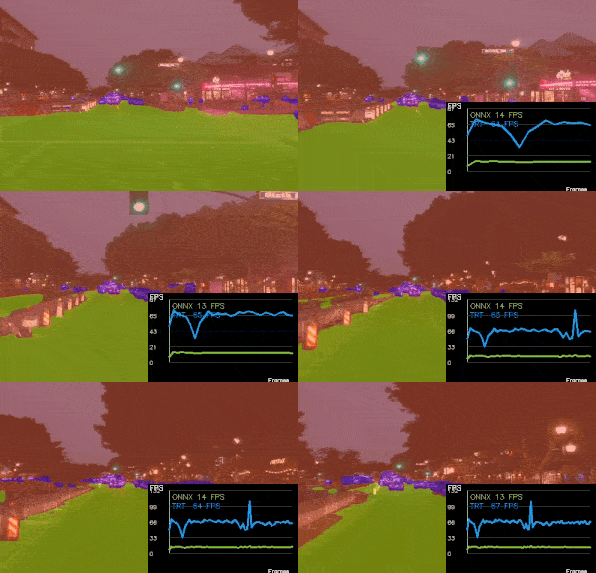
Control over deployment

You have the capability to deploy models anywhere. You have solutions when a model is too slow that are way beyond "GET A BETTER GPU" or "Resize the input". You finally build mastery of your job.

BENEFIT 2: You build RARE skills
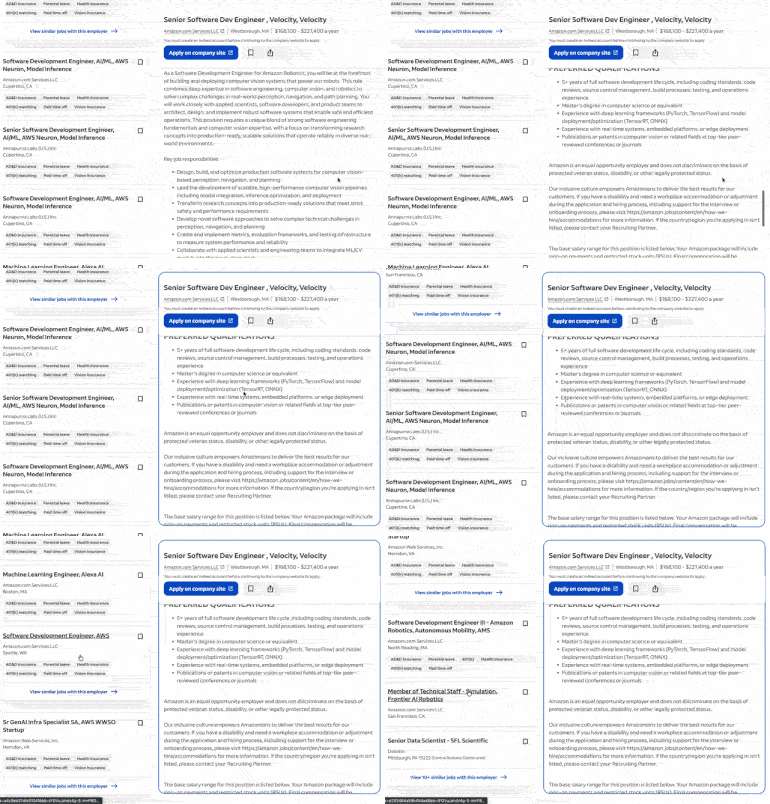
Rare skills on a resume

Can you imagine if your resume listed skills like TensorRT deployment, GPU programming, ONNX, and Quantization? Wouldn't your profile look much more credible to the industry?

If you'd like to learn more about this skill, then meet my newest course...
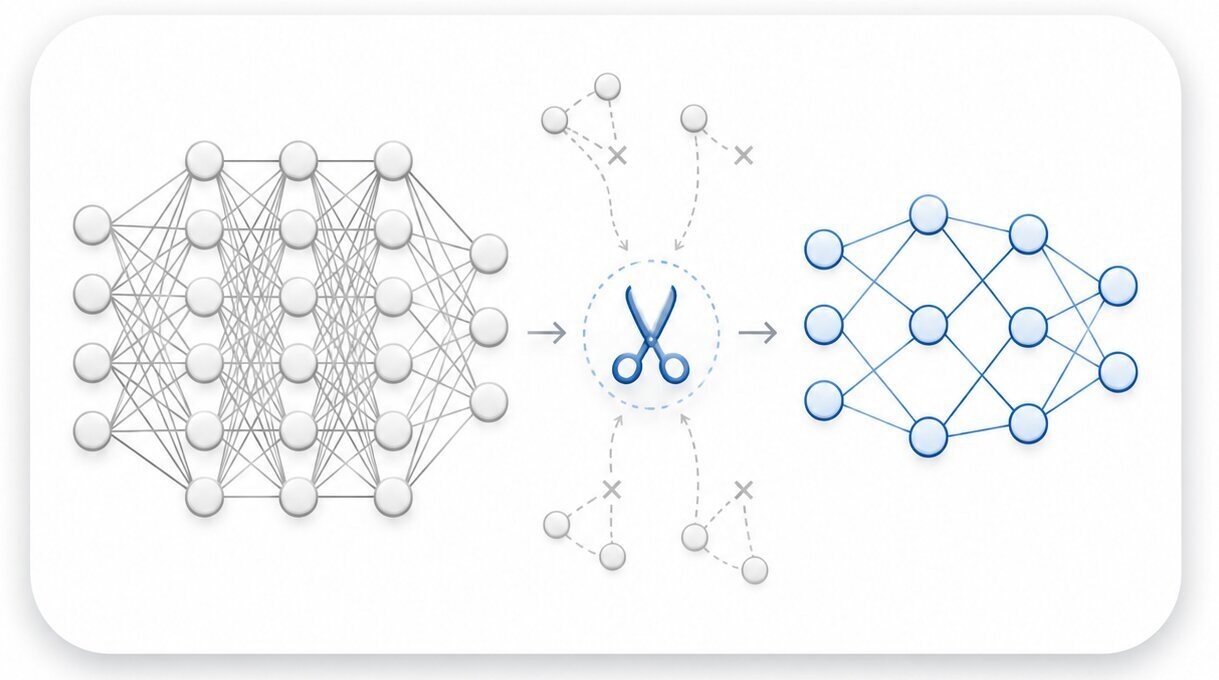
Neural Strike course cover

NEURAL STRIKE!

NEURAL STRIKE teaches you how to optimize and deploy deep learning models to embedded environments like self-driving cars, drones and robots. It teaches you Deep Learning skills very few engineers possess, at an unbeatable price.

COURSE CLOSED · JOIN THE EMAIL LIST →

The course is built around 2 ideas:

  1. Optimization: How to make a model lighter and faster by reducing its size or number of operations
  2. Deployment: How to deploy a model on an inference device

Let's begin with...

MODULE I

Model Optimization

At first, you will build an understanding of the model part. Before rushing to optimize and deploy, you must have a good understanding of the operations that your model has, what can and should be optimized, and things like this.

This is totally boring — I won't lie to you — BUT these are the good practices engineers in the industry learn, and more importantly, they make you appear totally professional, versus someone just copy/pasting optimization functions and praying it works.

Then, this is where the fun begins.

From there, we will learn 3 advanced techniques Deployment Engineers use to deploy models (and also, 8 more, but in less details):

PRUNING

Pruning

You will build 2 projects on pruning.

QUANTIZATION

Quantization

You will build 3 projects on quantization.

KNOWLEDGE DISTILLATION

Knowledge distillation

You will build 1 project on distillation.

Realize, one of these techniques is very straightforward, and the 2 others have infinite potential. You could apply a simple version of these, and maybe double the speed of your network - or apply the ultimate versions that Nvidia Engineers work on, and potentially 10x or 20x your FPS speed without changing the network.

For example:

Have you seen how everybody online went crazy over Nvidia Blackwell? It certainly went on my Feed when it came out a few years ago. At first, I thought... Isn't it like a new iPhone? It's just the fastest, until the next one, right?

Well, not quite.

What I then learned is that this is a new architecture that allows to do what's called FP4 and INT4 Quantization.

Well, realize this is a VERY ADVANCED technique that ALL Deployment Engineers know.

In fact, there are several levels of understanding it, and we'll try to tackle as many as possible in the course.

This can go from DOUBLING your FPS in the basic case, to making your models 10X faster if you completely deploy that with Nvidia GPUs for example.

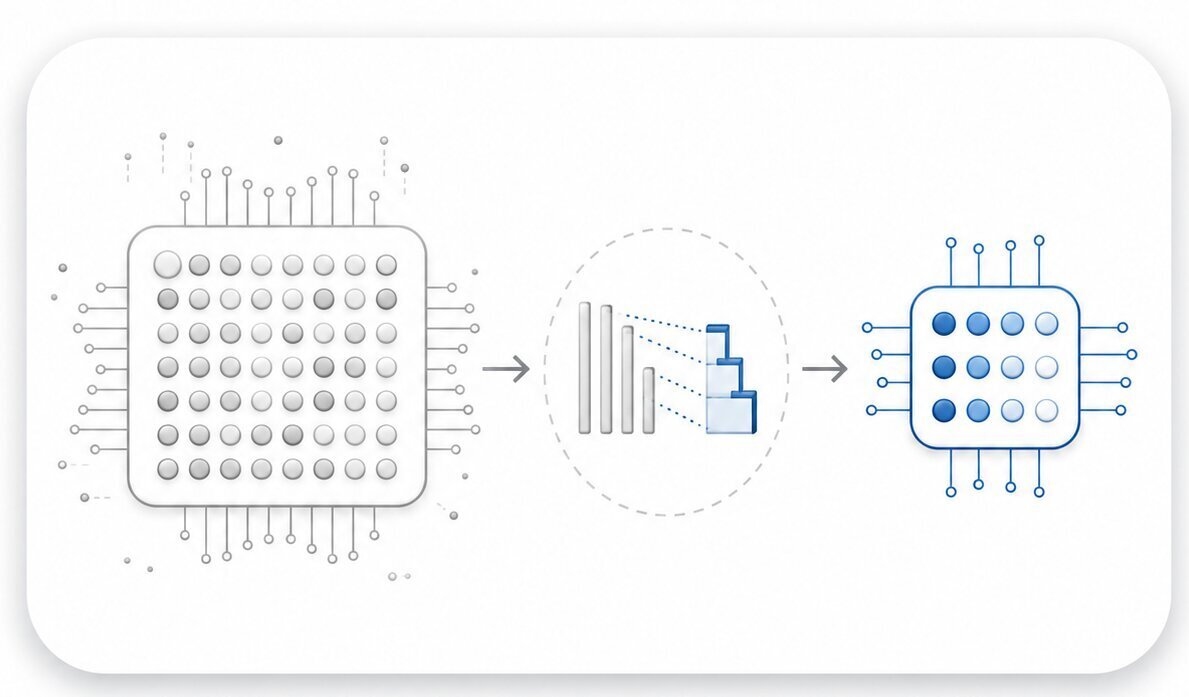
  • Weight Quantization: How Nvidia Engineers convert your model's numbers from float to integer to make it 2-4x faster and 2x smaller (and why your accuracy barely moves when you do it right)
  • Post-Training Quantization vs Quantization-Aware Training: the two roads every deployment engineer has to choose between, and the way to know which one your project is asking for
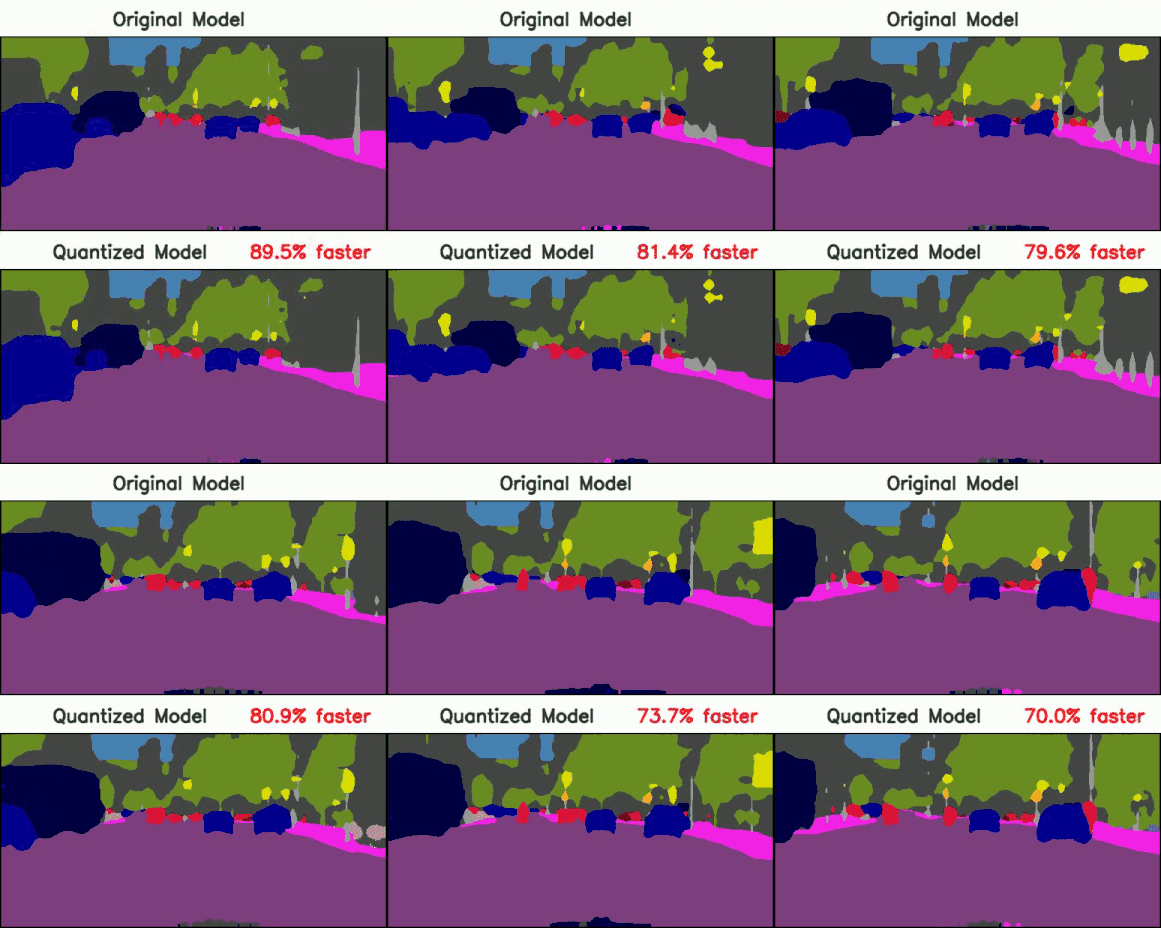
  • Advanced Project: Build a Quantization Architecture for a Segmentation Model
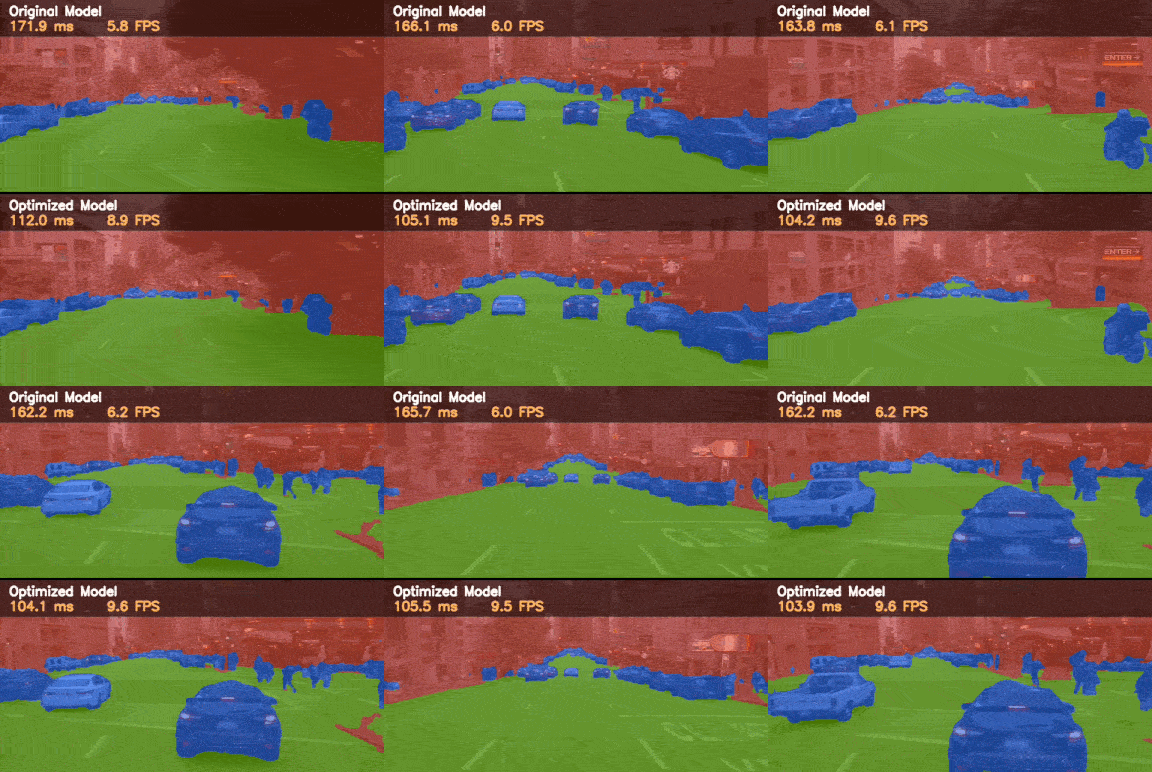
Original vs quantized segmentation model

Did you see how this is advanced? And that's far from the most advanced, because you'll also learn Knowledge Distillation.

The first time I learned about this technique, it was listed as one of the many tricks we can use in Optimization. It turns out, it goes way beyond this: most models you see online are too heavy, too fat, too big to run on embedded platforms.

No, a super mega transformer with LLMs and billions of weights doesn't fit a tiny GPU that also has to process point clouds, RADAR, GPS, do Planning, Computer Vision, and so on...

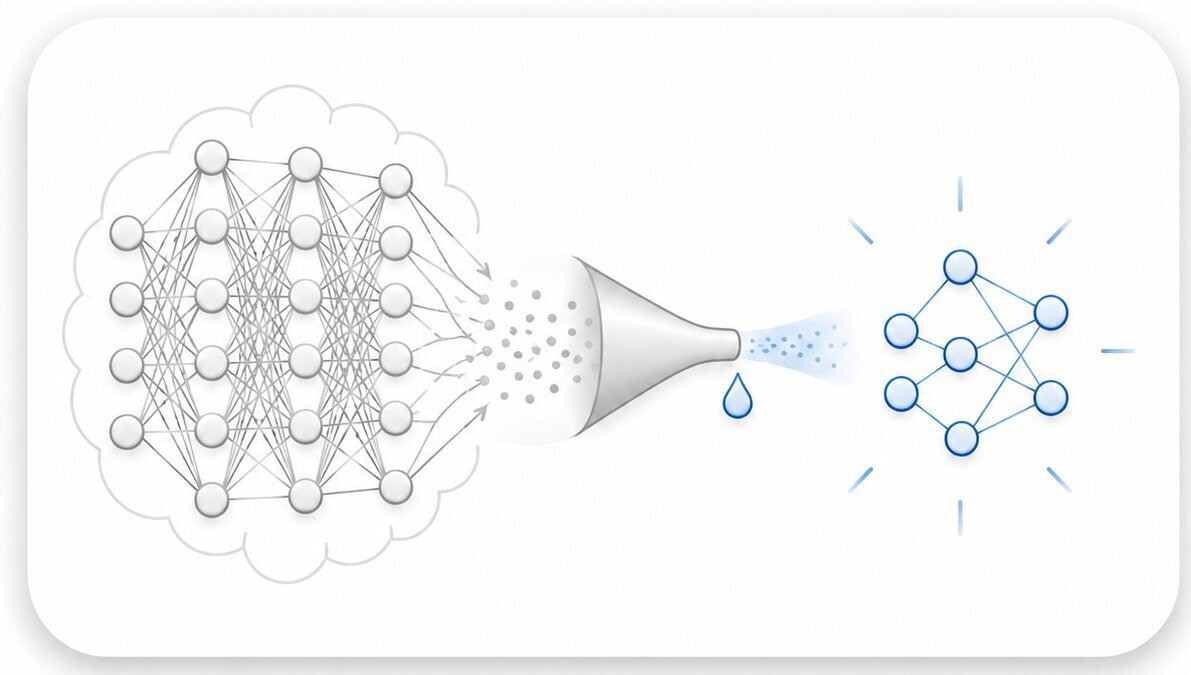
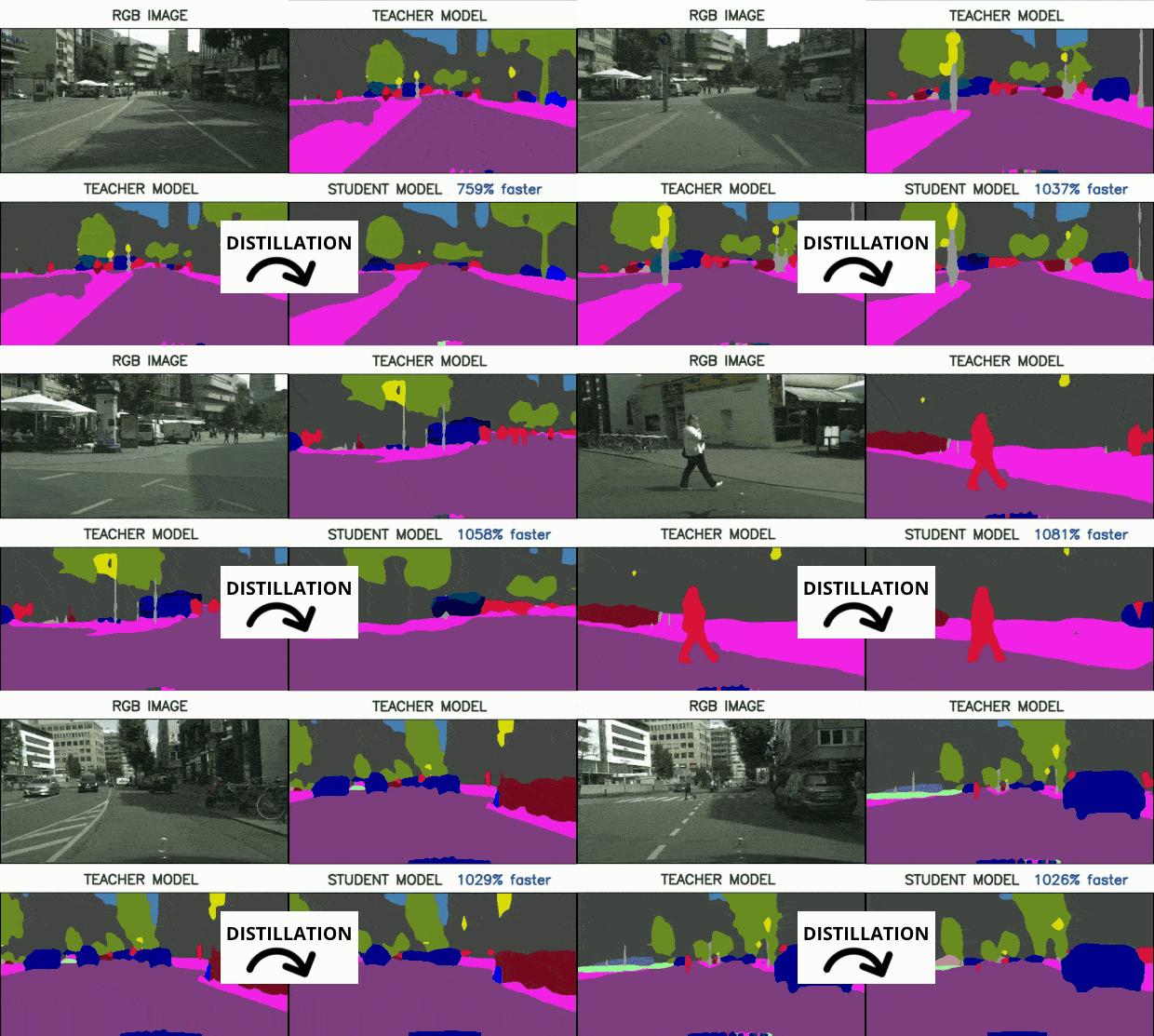
The reality is, these models were NEVER meant to be used at the edge. They are meant to be a source of teaching for lighter networks. In Knowledge Distillation, you have BIG, HEAVY models teaching SMALL and LIGHT networks to produce the same results.

I know this sounds weird, but let me show you the output:

Teacher and student models after distillation

You are reading this right: 1,000% faster.

How come? Well, you are using here a different model, that you are retraining, but based on the old model's weights. Some of the skills you'll learn:

Hey - did you see all of these skills?

How nice would it be to have this on your resume, along with 4 or 5 portfolio projects, and confidently claim you are capable of doing these things?

Huh, I'm not even done yet, because I have a second module on...

MODULE II

Edge Deployment

Totally insane, but as an update of this course, I have, in May 2026, launched the Module 2 on Deployment. In this module, you will learn how to not just optimize your networks for GPU, but how to optimize networks for YOUR GPU.

You will also see other target environments, such as Intel OpenVINO and VPUs, but the core will be Nvidia GPUs, since this is what's used in most autonomous systems.

What will you learn?

Mainly, two ideas, Exporting models (so they can run anywhere, from a self-driving car, to a drone, to a neural USB stick), and Deploying models (so they are optimized for YOUR device, and not just a random device).

Before I share what's in it, a look at the results you can possibly get, and please — picture yourself using this at work, or showcasing this at a job interview.

OPTIMIZED MODELS

Optimized models

Learn to use Exporting & Quantization to run models 2x FASTER in minutes and show advanced Deep Learning skills

DEPLOYED MODEL

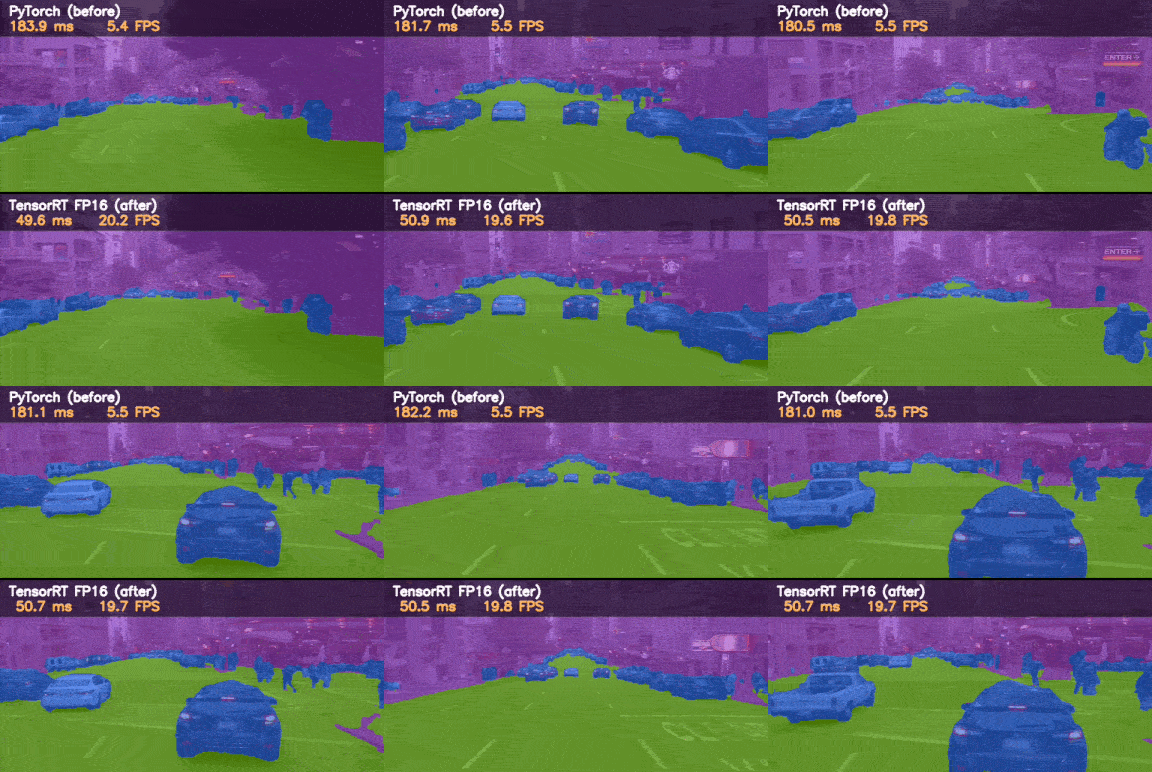
Deployed model with TensorRT

Learn to deploy these models with TensorRT to make them 4x FASTER and boost expertise via showing Neural Deployment Skills.

DEPLOYED MODEL (LEVEL 2)

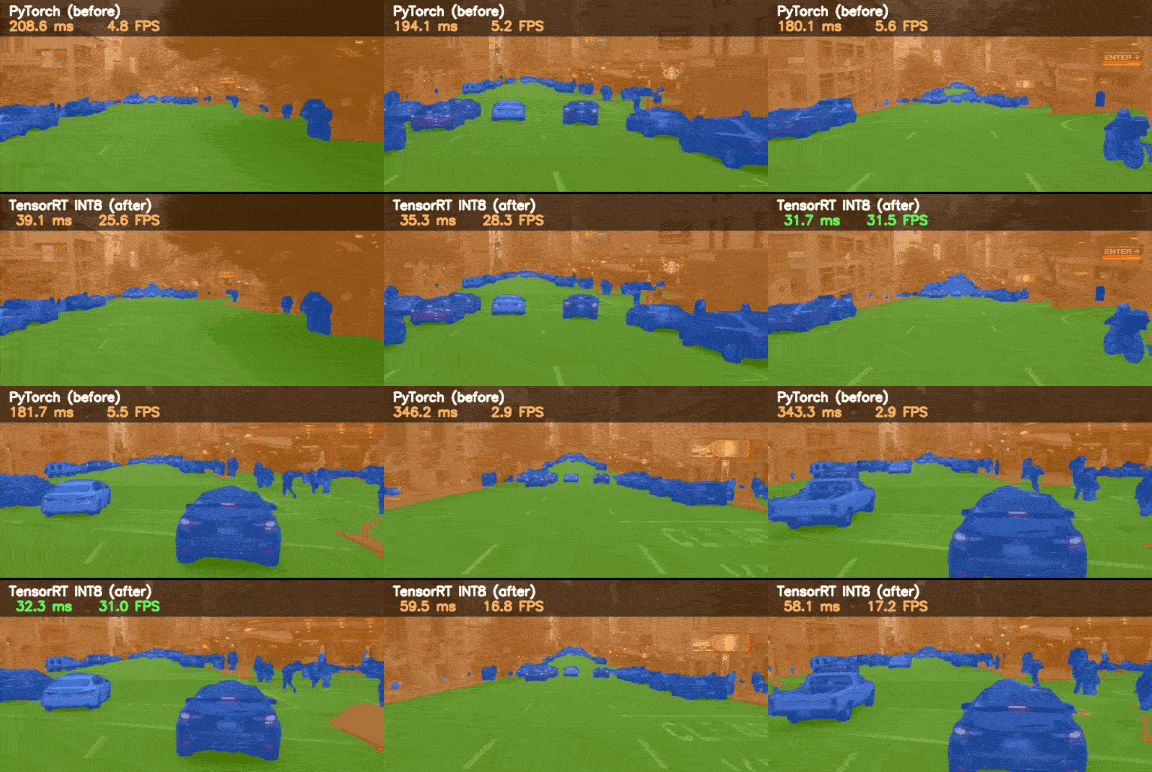
Deployed model with precision calibration

Learn to use Precision Calibration while Deploying them to make them 6x faster and get close to Production-Grade Level Engineers

In Module 2, you will go way further than just optimization, and learn the power of deployment. You will learn:

COURSE CLOSED · JOIN THE EMAIL LIST →

FROM THE EDGENEERS

Students of Neural Optimization
(Neural Strike Module 1)

"Great course!"

The third course I have taken with Think Autonomous, won't be my last! This course demystified popular techniques for optimizing models for deployment, and made them more approachable. Great course!

Brandon Elford
Brandon ElfordAI Developer — Potential Motors

"Thorough and Clear"

A great course with thorough and clear explanation! Highly recommended!

Arief Ramadhan
Arief RamadhanSenior Data Scientist — Blibli

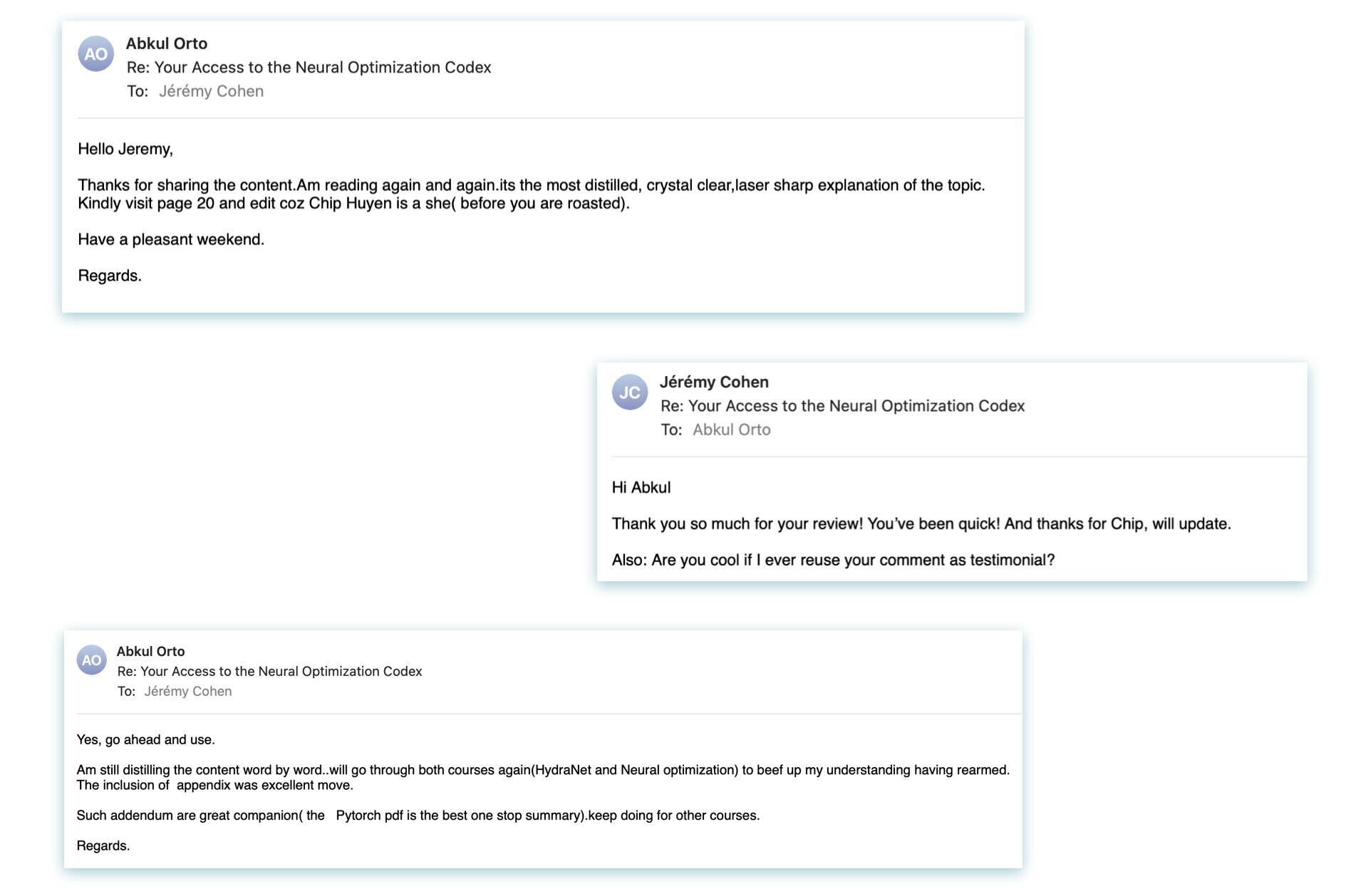
But perhaps the best comment comes from here:

Student email about the Neural Optimization Codex

Here are the two paths in front of you

Option 1: You can keep doing what you've been doing. Training models, getting good numbers in notebooks, handing them off, and hoping they run. For a while, that was enough for the majority of deep learning engineers. But you already know it's not going to be enough anymore.

The part you've been leaving on the side is getting automated and easier to access. The engineers who only do that part are going to feel it first.

Or you decide to become the one who takes the model all the way, onto the hardware, at speed, the one the team comes to when it has to actually work. That's the engineer who's hard to replace. And right now, very few people are choosing to become that person. That's the whole opportunity. It's crazy, but almost nobody is learning this, which is exactly why I think it's worth doing.

I was a Player on that shuttle, watching my GPU burn, with no idea what to do besides resizing the image. It took me years to get on the path to becoming a Pro. You don't have to take the years. The path is here, all in one place, and it takes just a few hours.

So if you are ready to join, here is:

I AM READY TO JOIN NEURAL STRIKE

Neural Strike course
  • Control & Credibility in the Deep Learning Industry
  • Hireable Model Optimization & Deployment Skills
  • Portfolio Projects on Pruning, Quantization, Knowledge Distillation, Neural Export, and CUDA Deployment
  • Instant & Lifetime Access to over 10 hours of content
  • Continuous Updates
  • BONUS Case Study: How Autoware deploys E2E Models in Production (C++)
  • BONUS: Neural Optimization Codex (a 30+ page book on how to deploy models)

COURSE CURRENTLY CLOSED

Frequently Asked Questions

How long is the course?

NEURAL STRIKE takes on average 7-10 hours to reach 100% completion. You can get the first projects done within the first hour.

Can I expense this at work?

We have many companies purchasing our Deep Learning courses. If you work in a company that could benefit from it, it is worth letting them know this product exists and can help (not just you but also) them.

What is the format like?

This is a self-study online course, which contains videos, articles, drawings, paper analysis, code, projects, and more...

What are the prerequisites?

This course is an intermediate/advanced course, which means several prerequisites are needed, including:

  • Coding in Python (intermediate level)
  • Basic knowledge of Deep Learning & CNNs
  • You can train models with tools like PyTorch
Do I need a GPU or Physical hardware?

If you have one, it'd be ideal, because you would get to use everything you learned in the course on your own hardware. To me, this is the best possible way to take this course. Now, if you don't, this is fine, I am doing all the projects on Google Colab's free GPU, so anyone can take the course, no matter what your compute is.

What if I've been through the v1 already?

If you have been through the v1, I double the price for you.

No, you know what?

At some point of your life, you trusted me with your skills, career, and education.
When you bought, I told you that updates were included in the courses.
I am even telling this to new people now.

What does it really mean?

It means that if you bought this course in the past, even back in 2021... You get the update FOR FREE!

This is NOT something I do with every course, but it feels right for this one-and it shows EVERYONE what kind of person you're dealing with.